
Written by Keisuke Unno — a graduate of Tokyo University of Foreign Studies (Persian Language).
Married to a non-Japanese partner, and host of the YouTube channel “Tabunka Gurashi 多文化ぐらし,” where he has interviewed dozens of international residents across Japan about their real lives here.
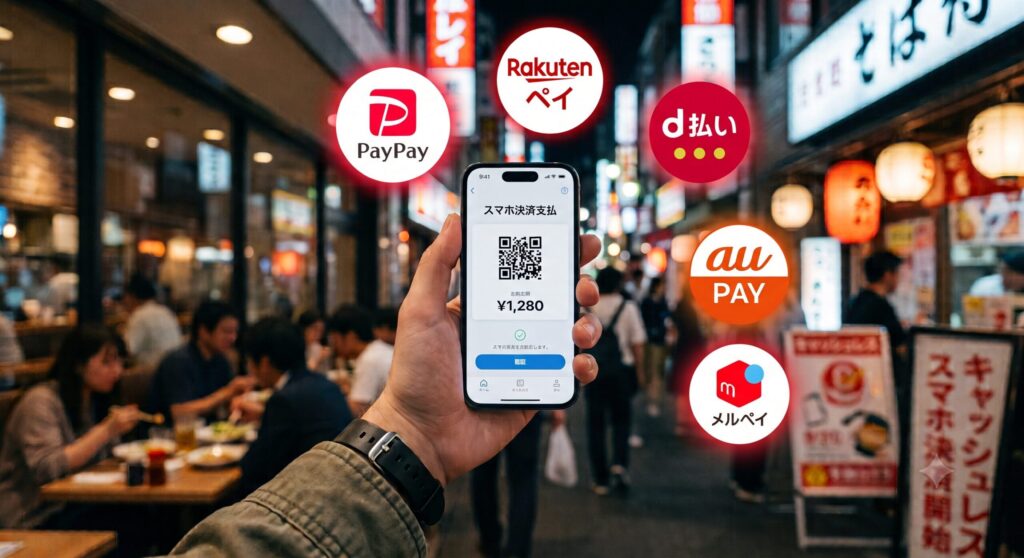
Japan has a reputation for being cash-heavy, but mobile payment apps have become genuinely widespread in recent years, and setting a couple of them up early can make daily life noticeably smoother. Short answer: PayPay (QR code-based payment) and a transit IC card like Suica or PASMO (tap-based payment, also usable for trains) are generally the two most broadly useful apps to set up first.
The Two Main Types of Mobile Payment
| Type | How It Works | Examples |
|---|---|---|
| QR code payment | You scan a store’s QR code or show your own code for the cashier to scan | PayPay, au PAY, Rakuten Pay |
| IC card / tap payment | Tap your phone or physical card at a reader; also usable for train and bus fare | Suica, PASMO, and similar regional transit cards |
PayPay: Japan’s Most Widely Accepted QR Payment App
PayPay has become one of the most broadly accepted mobile payment options across restaurants, convenience stores, and small shops throughout Japan. Setup generally requires a Japanese phone number and linking either a Japanese bank account or a credit card.
💡 Many small, independent restaurants and shops that don’t accept credit cards will accept PayPay — it’s often worth checking for a PayPay sign at the register even at places that look cash-only at first glance.

Suica / PASMO: Transit Cards That Double as Payment
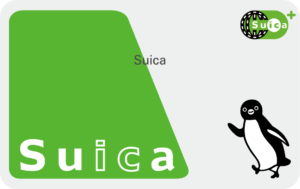
Originally designed for train and bus fare, IC transit cards like Suica and PASMO can also be used for everyday purchases at convenience stores, vending machines, and many retail locations. These can generally be added directly to your phone’s digital wallet (on compatible devices) or used as a physical card, and topped up (チャージ) either through the app, at station machines, or at convenience store registers.
Other Payment Apps You’ll Commonly Encounter
Beyond PayPay and Suica/PASMO, a few other payment options are widely used in Japan and worth knowing about, even if you don’t set all of them up right away.
| Service | What It Is | Worth Knowing |
|---|---|---|
| Carrier billing (キャリア決済) | Charges purchases directly to your monthly phone bill instead of a bank account or credit card — offered by docomo (d払い), au (auかんたん決済), and SoftBank (ソフトバンクまとめて支払い) | Useful for online purchases and digital subscriptions if you don’t yet have a Japanese credit card; generally comes with a monthly spending limit |
| Rakuten Pay (楽天ペイ) | A QR code payment app similar to PayPay, tied into the Rakuten points ecosystem | Worth setting up if you already use Rakuten for shopping or have a Rakuten Card, since points accumulate across both; store acceptance is broad but generally somewhat narrower than PayPay’s |
| Merpay (メルペイ) | The payment service built into Mercari (メルカリ), Japan’s largest flea-market/resale app | Lets you spend proceeds from selling items on Mercari directly as real-world payment, and also functions as a standalone QR payment method even if you don’t sell anything |
💡 You don’t need to set up every payment method at once — PayPay and a Suica/PASMO card cover the large majority of everyday situations. Carrier billing, Rakuten Pay, and Merpay are worth adding later if you find yourself specifically using the ecosystem each is tied to (a Rakuten account, Mercari, or wanting to avoid a credit card for online purchases).

Setting Up Your Phone’s Digital Wallet
| Device Type | Notes |
|---|---|
| iPhone (certain regional models) | Suica/PASMO can often be added directly to Apple Wallet, though availability depends on which regional version of the device you have |
| Android (with FeliCa/NFC support) | Many Android phones sold in Japan support adding transit cards directly; imported phones from other regions may lack the necessary hardware (FeliCa) even if otherwise similar |
⚠️ What Catches Foreign Residents Off Guard: A phone bought overseas — even a recent, high-end model — may not support Japan’s FeliCa-based tap payment system if it lacks the specific hardware used here. If your phone doesn’t support adding a digital IC card, a physical Suica or PASMO card works exactly the same way for payment and transit.
Getting Started: A General Order
- Get a Japanese phone number (see our guide comparing eSIM and physical SIM options)
- Set up a physical or digital Suica/PASMO card for transit and everyday purchases
- Download PayPay and link a payment method once you have a Japanese bank account or credit card
- Look for QR codes and IC card readers at registers as you shop, since acceptance varies by store
A Real Mobile Payment Setup Experience
Two friends of mine both settled on PayPay as their go-to, and both independently described it the same way: simple, with essentially no setup friction once it’s linked. One mentioned that not every payment app worked reliably with her foreign-issued bank card, which pushed her toward using a physical IC card for some purchases instead — worth keeping in mind if you run into a similar snag with any specific app rather than assuming something’s wrong on your end.
FAQ
Q: Do I need a Japanese bank account to use PayPay?
A: Not necessarily — PayPay can generally be linked to certain credit cards instead of a bank account, though a bank account linkage is common for full functionality.
Q: Can I use Suica across all of Japan?
A: Most major IC transit cards (Suica, PASMO, ICOCA, and others) are now mutually compatible for use across most of Japan’s transit systems and participating stores, though a small number of regional exceptions exist.
Q: Are these apps available in English?
A: PayPay and most major transit apps offer English-language interface options, making initial setup and daily use manageable even before your Japanese improves significantly.
Your Mobile Payment Checklist
- Confirmed whether your phone supports Japan’s FeliCa tap payment system before relying on a digital wallet
- Set up a physical Suica/PASMO card as a backup if your phone doesn’t support digital transit cards
- Downloaded PayPay and linked a payment method once you have a Japanese bank account or credit card
- Checked for QR code or IC card signage at registers, since acceptance varies by store
Stay Updated with ILSA Hub
Life in Japan comes with a lot of small questions — and the official ILSA Hub LINE account is where we help, especially with housing and everyday life.
- 🏠 Our Main Focus: Most of what we share is about housing and daily life in Japan — apartment hunting, contracts, and practical living tips.
- 💬 Ask Us Anything: Send us your questions about our articles, and we’ll help guide you using site-based information.
- ⏰ Never Miss a Deadline: Set an automated reminder right on LINE — just type “set reminder,” tell it what and when, and our system will notify you automatically as the date approaches (like 30 and 7 days before). Handy for things like visa renewals (up to 90 days’ notice) or lease renewal deadlines. Your dates are kept private and never shared outside ILSA Hub.
Scan or Click to Join:
👉 Tap Here to Add ILSA Hub on LINE

Disclaimer: ILSA Hub is an informational platform. We do not act as a licensed real estate agency, financial institution, medical provider, recruitment agency, or emergency service, and do not provide immigration, visa, or legal services. We are not a substitute for advice from a qualified administrative scrivener (行政書士) or attorney. We do not provide legal, medical, financial, or professional advice specific to your situation. Our responses on LINE are based solely on general guidelines provided on our website. For emergencies, always follow official government guidance.